


Microsoft 365 Solutions in Warren, MI
Microsoft 365 Solutions in Warren, MI backed by transparent pricing, no long-term contracts, and expert local support, helping businesses maximize Microsoft 365 with a trusted IT partner committed to your long-term success.

Warren Businesses Need More Than a Basic Microsoft 365 Setup
Microsoft 365 is the productivity foundation for a growing number of Warren businesses, from Macomb County medical practices managing HIPAA-sensitive patient communications to automotive suppliers coordinating across multiple facilities to professional services firms enabling hybrid work across Troy and Warren locations. The problem most of these organizations run into is not the technology itself. Microsoft 365 is genuinely one of the most capable platforms available to businesses of any size. The challenge is that many businesses never unlock its full potential because their deployment stops after basic email configuration, leaving Teams collaboration, SharePoint document management, Intune device management, and Microsoft 365 security and compliance features underutilized. Microsoft 365 Solutions in Warren, MI help businesses fully leverage these capabilities to improve productivity, strengthen security, and maximize the value of their Microsoft 365 investment.
Since 2004, InsideOut Networking has helped Metro Detroit businesses move beyond basic deployments by delivering complete Microsoft 365 solutions rather than temporary fixes. We begin by understanding how your business operates before configuring the platform, then implement Microsoft 365 to support your workflows, strengthen cybersecurity, and enable seamless collaboration across your organization. Our team remains a long-term technology partner, providing ongoing optimization and support as your business evolves. With no hidden fees, no binding contracts, and a commitment to honest IT consulting, we help Warren businesses get lasting value from Microsoft 365.
What InsideOut Networking Delivers
As the trusted provider of Microsoft 365 services for Warren businesses that want complete implementation and ongoing management without the enterprise IT firm pricing model, InsideOut Networking delivers:
- Microsoft 365 migration planning and execution for Warren businesses moving from on-premises Exchange, hosted email, or legacy productivity tools to the full Microsoft 365 platform.
- Microsoft Teams deployment and communication configuration giving Warren teams a unified hub for chat, video meetings, file sharing, and voice calling.
- SharePoint Online and OneDrive setup with a document management structure that Warren employees will actually use rather than work around.
- Exchange Online administration and email security configuration including anti-phishing, anti-spoofing, and encryption for regulated industries.
- Microsoft 365 security and compliance setup covering multi-factor authentication, conditional access, Defender for Business, and the compliance tools that Warren healthcare and financial services businesses require.
- Microsoft Intune endpoint and mobile device management ensuring that every device accessing Warren business data in Microsoft 365 meets the organization's security policies.
- Healthcare and HIPAA-specific Microsoft 365 configuration for Warren medical practices and ancillary healthcare organizations operating on the Microsoft cloud.
- Ongoing Microsoft 365 administration and managed support with no binding contracts and no surprise billing, from a Troy team that is minutes from Warren when on-site support is needed.

How InsideOut Networking Delivers Microsoft 365 Solutions in Warren
Every engagement for Microsoft 365 Solutions in Warren, MI begins with understanding your business, not selling a one-size-fits-all solution. InsideOut Networking evaluates your existing IT infrastructure, email systems, productivity workflows, security requirements, compliance obligations, and collaboration needs before recommending the right Microsoft 365 licensing and deployment strategy. Whether you're migrating from on-premises Exchange, upgrading an existing Microsoft 365 environment, or implementing the platform for the first time, we carefully plan and execute the transition to minimize downtime while protecting business-critical data. Our team configures Microsoft Teams, SharePoint, OneDrive, Exchange Online, Intune, and Microsoft Defender to improve collaboration, strengthen cybersecurity, simplify device management, and maximize productivity. We also perform Microsoft 365 health assessments to identify configuration gaps, licensing inefficiencies, and security risks, ensuring your Microsoft 365 environment remains secure, optimized, and aligned with your long-term business goals through proactive support and ongoing management.
What Warren Businesses Experience When Microsoft 365 Is Configured Incorrectly
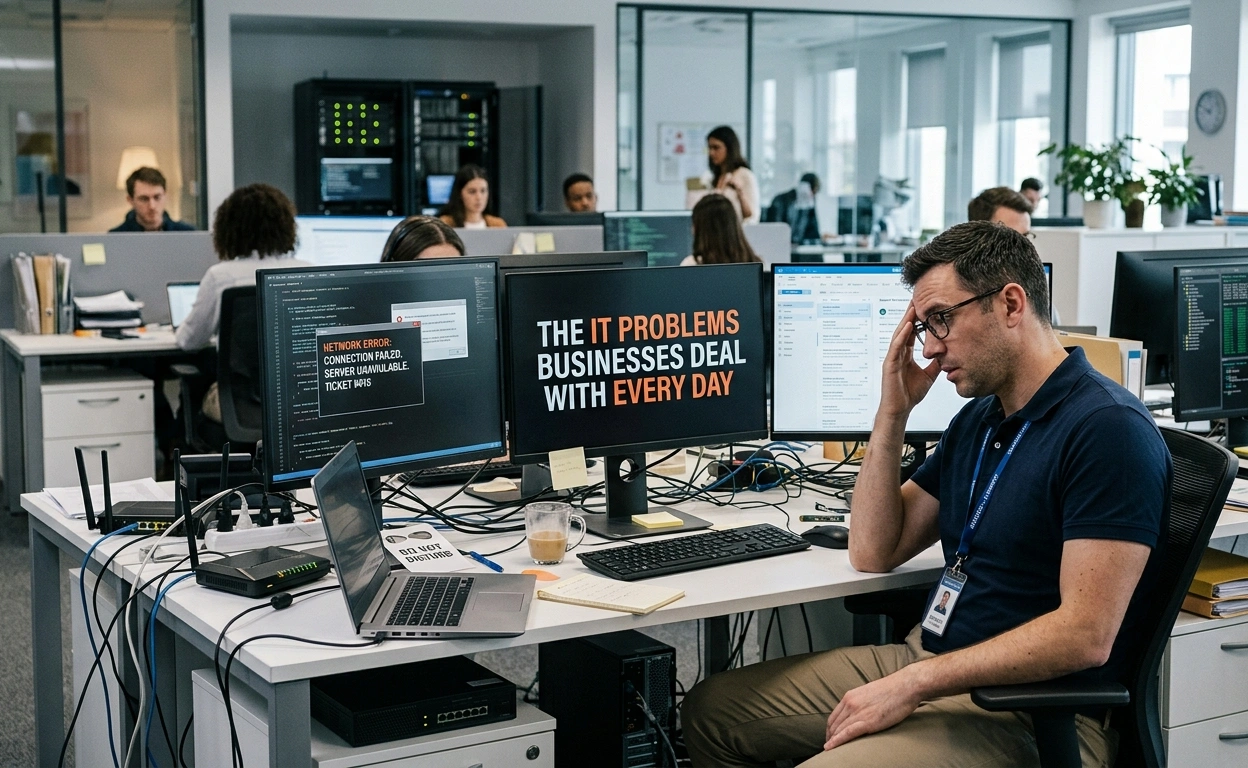
The most common Microsoft 365 story InsideOut Networking hears from new Warren clients follows a familiar pattern. The business moved to Microsoft 365 because it was time to get off an old Exchange server, because a vendor required it, or because a previous IT provider recommended it. The migration happened, the email started working, and then the problems quietly accumulated. Teams were deployed but employees ignored it and kept emailing attachments because nobody built a structure that made Teams useful. SharePoint was enabled but became a maze of nested folders that was harder to navigate than the old network drive. Multi-factor authentication was never turned on because the previous provider said it was optional. And six months in, the cyber insurance broker asked whether MFA was enforced, whether conditional access was configured, and whether there was a Business Associate Agreement in place with Microsoft for the medical practice's protected health information. The honest answer to all three questions was no.
InsideOut Networking encounters this situation regularly because it is the predictable outcome of a band-aid approach to Microsoft 365 deployment. The platform is complex enough that a minimum-effort setup reliably produces a minimum-value outcome, and most Warren businesses do not discover the gap until something goes wrong or a compliance question forces the issue. Our complete-solutions approach to Microsoft 365 solutions in Warren, MI is built to prevent exactly this scenario. We do not configure what is easy and skip what requires more effort. We do not collect the setup fee and disappear. We deploy the full environment the business needs, we explain what we have built and why, and we remain available as the long-term MSP partner that handles the ongoing administration so the environment never drifts back into the state that created the problem in the first place.
Why Warren Businesses Choose InsideOut Networking for Microsoft 365
For organizations looking for Microsoft 365 solutions Warren Michigan businesses can depend on a partner that operates like a member of the team rather than a distant vendor, InsideOut Networking offers the Metro Detroit IT company experience that the Warren market deserves. We have been serving businesses in Troy, Warren, and the surrounding Macomb and Oakland County communities since 2004 with the same core commitments that defined us from day one: up-front pricing with no hidden fees, no binding contracts that lock Warren businesses into arrangements that no longer serve them, and a complete-solutions philosophy that means we finish the job rather than handing the client a partially configured environment and calling it done.
Our Troy office puts us immediately adjacent to Warren, which means on-site support is a short drive away when a Microsoft 365 deployment, Teams room setup, or security configuration issue requires a technician in the room. Our team works in a unified ticket system that ensures every Warren client's history and configuration details are available to whichever technician handles a given issue, with no knowledge lost between interactions. And our experience implementing Microsoft 365 for medical practices with EHR and practice management system integration means Warren healthcare businesses can trust that their M365 environment will be configured correctly for HIPAA compliance from the start, rather than discovering the gap during an audit. As your IT support, IT consulting, and Microsoft 365 partner across Warren and Metro Detroit, InsideOut Networking is the IT company that gets it done right and stays to make sure it stays that way.

Our Microsoft 365 Solutions
Microsoft 365 Solutions in Warren, MI help businesses create a secure, connected, and productive workplace where employees collaborate seamlessly, documents are organized and easy to access, devices are centrally managed, email is protected from phishing and spoofing attacks, and compliance requirements are built into the platform rather than treated as an afterthought. InsideOut Networking delivers these outcomes for businesses throughout Warren and Macomb County with the honest, transparent approach that has earned the trust of Metro Detroit organizations for more than two decades.
As a trusted Microsoft 365 partner, InsideOut Networking combines managed IT expertise, cybersecurity knowledge, and a long-term partnership approach to help businesses maximize the value of Microsoft 365. We understand the unique needs of organizations across Warren and the compliance requirements common to industries throughout Macomb County, allowing us to configure Microsoft 365 around your workflows, strengthen security, improve collaboration, and support your business as it grows.
1
Microsoft 365 Migration Planning and Execution
A Microsoft 365 migration done correctly is invisible to the people who depend on it: email continues to arrive, calendars remain accurate, contacts are accessible, and shared files appear in the new environment exactly as they existed in the old one. A migration done incorrectly creates days of disruption, lost emails, broken calendar permissions, and a helpdesk burden that follows the organization for months. InsideOut Networking manages Microsoft 365 migrations for Warren businesses with the pre-migration planning, staged sequencing, and post-cutover validation that make the first outcome the consistent one rather than the lucky one. We have been setting up and migrating email environments for Metro Detroit businesses since 2004, and we apply that experience to every M365 migration we manage.
- Pre-migration inventory of all mailboxes, shared mailboxes, distribution lists, calendars, and existing email data to identify dependencies and sequence the migration without leaving anything behind.
- DNS configuration management including MX record updates, SPF, DKIM, and DMARC authentication records that ensure Warren business email is routed correctly and protected from spoofing from day one after cutover.
- Staged migration execution for organizations with large mailbox counts or complex shared resource configurations, prioritizing the users whose email disruption would most impact Warren business operations.
- Post-migration validation confirming that every Warren user can access email, calendar, contacts, and shared resources in the new environment, with issue resolution completed before the project is closed.
2
Microsoft Teams Deployment and Business Communication
Microsoft Teams is the collaboration layer of Microsoft 365, replacing or reducing dependence on email threads, separate video conferencing subscriptions, and standalone phone systems when it is deployed with a structure that reflects how Warren employees actually work. Without that structure, Teams becomes a disorganized channel collection that most employees avoid, and the collaboration value disappears along with the productivity gains the subscription was supposed to deliver. InsideOut Networking designs Teams environments for Warren businesses with channel architectures, governance policies, and communication workflows that match how teams are actually organized and how work actually flows, making Teams adoption natural rather than forced.
- Teams environment design establishing channel naming conventions, team structures, and governance policies aligned with how Warren business departments and project teams actually communicate and organize their work.
- Microsoft Teams Phone deployment for Warren businesses ready to eliminate a separate phone system, including number porting, auto-attendant setup, call queue configuration, and voicemail management within the Teams platform.
- Guest access and external collaboration configuration enabling Warren businesses to work securely with clients, vendors, and partners in Teams without exposing internal channels or sensitive information to unauthorized users.
- Teams meeting and room setup for Warren conference rooms, including hardware guidance, room account provisioning, and calendar integration that makes scheduling and joining meetings simple for every participant.
3
SharePoint Online and OneDrive File Management
A well-designed SharePoint and OneDrive environment makes it easier for employees to collaborate, locate documents, and protect sensitive business information. As part of our Microsoft 365 Solutions in Warren, MI, InsideOut Networking designs SharePoint Online and OneDrive environments with intuitive site architecture, logical folder structures, role-based permissions, and governance policies that reflect how your business actually operates. We also implement secure OneDrive policies that keep business data stored in managed, backed-up cloud locations instead of scattered across desktops and local devices, creating a document management system that improves productivity, strengthens data security, and supports seamless collaboration.
- SharePoint site architecture design creating a logical, navigable structure for team sites, project libraries, and department document storage that Warren employees can use without a training manual or a map.
- Permission configuration at the site, library, and folder level ensuring that Warren business data is accessible to the people who need it and protected from those who do not, with consistent enforcement that does not rely on individual user vigilance.
- OneDrive for Business policy configuration including sync settings, sharing controls, and external access restrictions that keep Warren business documents in IT-managed, backed-up storage rather than in unmanaged local locations.
- Migration of existing file shares and network drives to SharePoint Online for Warren businesses transitioning away from on-premises file servers, with folder structure preserved and access permissions recreated in the new environment.
4
Exchange Online Email Hosting and Security
Email remains the primary vector for the cybersecurity attacks that target Warren businesses: phishing, business email compromise, spoofed invoices, and credential harvesting campaigns that use convincing imitations of Microsoft, financial institutions, and executive senders to trick employees into taking action they should not. Exchange Online in Microsoft 365 includes the tools to address all of these threats, but they must be configured deliberately to provide meaningful protection. InsideOut Networking configures Exchange Online for Warren businesses with the email security controls that reduce actual risk rather than checking a box, and manages the ongoing administration so that mailbox changes, group updates, and email flow adjustments are handled reliably by a local IT support team that knows the business.
- Anti-phishing and anti-spoofing policy configuration in Exchange Online and Microsoft Defender for Office 365, blocking impersonation attacks that target Warren executives, financial staff, and employees with vendor payment authority.
- SPF, DKIM, and DMARC authentication record implementation ensuring that emails sent from the Warren business's domain are cryptographically verified and that spoofed emails claiming to originate from the organization are rejected before delivery.
- Email encryption configuration for Warren businesses in healthcare, legal, and financial services that need to exchange sensitive documents and communications with clients and partners securely.
- Shared mailbox, alias, and distribution group management for Warren organizations with department mailboxes, info addresses, and complex routing requirements that need a managed IT partner rather than an administrator guessing at the configuration.
5
Microsoft 365 Security, MFA, and Identity Protection
Strong identity security is the foundation of a secure Microsoft 365 environment. As part of our Microsoft 365 Solutions in Warren, MI, InsideOut Networking helps businesses protect user accounts by implementing multi-factor authentication (MFA), identity protection, Conditional Access policies, and other Microsoft 365 security controls that defend against credential phishing and unauthorized access. Because account compromise remains one of the most common cybersecurity threats facing businesses, we make MFA and identity security a standard part of every Microsoft 365 deployment rather than an optional feature. This proactive approach helps safeguard sensitive business data, strengthen compliance, and reduce the risk of cyberattacks before they disrupt your operations.
- Multi-factor authentication enforcement for all Warren business Microsoft 365 user accounts, with configuration that balances security requirements against the practical usability needs of employees working in manufacturing, clinical, and office environments.
- Conditional access policy design restricting Microsoft 365 access based on user identity, device compliance status, and location so that unmanaged or compromised devices cannot reach Warren business data in the cloud.
- Microsoft Defender for Business deployment and policy configuration providing endpoint detection and response, automated threat investigation, and vulnerability management for Warren Windows devices connected to Microsoft 365.
- Admin account security hardening including dedicated admin accounts separate from daily-use accounts, privileged identity management, and audit logging that creates a defensible record of every administrative action taken in the Warren business's Microsoft 365 tenant.
6
Microsoft Intune Device Management for Warren Businesses
Microsoft Intune, included in Microsoft 365 Business Premium and many Enterprise subscriptions, gives Warren businesses the ability to enforce security policies across every device that accesses Microsoft 365, including employee-owned smartphones and tablets that were never formally enrolled in any IT management program. Without Intune or an equivalent endpoint management solution, the security posture of the Warren business's Microsoft 365 environment is only as strong as the least-managed device any employee uses to check email. InsideOut Networking implements Intune for Warren clients as part of our Microsoft 365 security baseline, ensuring that every device is enrolled, every relevant policy is enforced, and the IT support team has the visibility and control needed to respond quickly if a device is lost, stolen, or compromised.
- Intune device enrollment configuration for company-owned Windows, macOS, iOS, and Android devices used by Warren employees, including Autopilot enrollment for new Windows devices that configures them automatically when they are first powered on.
- Device compliance policies defining the minimum security requirements a device must meet before being granted access to Warren business Microsoft 365 resources, including encryption, PIN or password requirements, and current operating system versions.
- Application protection policies for employee-owned devices that allow Warren employees to use Microsoft 365 apps on personal phones and tablets while keeping business data isolated and erasable without affecting the employee's personal data.
- Remote device management capabilities including remote wipe, device lock, and passcode reset for Warren business devices that are lost, stolen, or need to be deprovisioned when an employee leaves the organization.
7
Microsoft 365 for Healthcare and HIPAA-Compliant Configuration
InsideOut Networking has a specific track record implementing Microsoft 365 for medical practices in Metro Detroit, including multi-site implementations for practices using EHR and practice management systems that must coexist with Microsoft 365 email, Teams communication, and SharePoint document management without creating protected health information exposure. For Warren medical practices, behavioral health providers, and the ancillary healthcare businesses orbiting Ascension St. John and Henry Ford Macomb Hospital, Microsoft 365 must be configured with a Business Associate Agreement in place, with the technical safeguards the HIPAA Security Rule requires, and with data governance controls that prevent PHI from appearing in channels, chats, or shared drives where it does not belong. InsideOut Networking builds HIPAA-compliant Microsoft 365 environments for Warren healthcare clients with the same care we apply to every other element of our complete-solutions approach.
- Microsoft Business Associate Agreement (BAA) execution with Microsoft as a prerequisite to using Microsoft 365 for any Warren healthcare business handling protected health information in the platform.
- HIPAA Security Rule technical safeguard implementation covering access controls, audit logging, automatic logoff policies, encryption in transit and at rest, and the identity management controls that create an auditable, compliant Microsoft 365 environment for Warren medical practices.
- EHR and practice management system compatibility review ensuring that Microsoft 365 deployment does not create conflicts or access issues with the clinical software systems Warren healthcare organizations depend on for patient care.
- Data loss prevention policy configuration in Microsoft Purview preventing protected health information from being shared via email, Teams chat, or SharePoint in ways that would constitute a HIPAA breach, with monitoring and alerting so the Warren practice's leadership is aware of policy violations as they occur.
8
Microsoft 365 Ongoing Administration and Managed Support
Microsoft 365 is not a set-it-and-forget-it platform. User accounts change as employees join and leave. Security policies need to be reviewed and updated as Microsoft releases new capabilities and changes platform defaults. License assignments drift as the business evolves. New features are introduced regularly that could benefit the Warren organization if someone is paying attention and knows the business well enough to recognize the fit. InsideOut Networking provides ongoing Microsoft 365 administration and managed IT services for Warren businesses with no binding contracts, no hidden fees, and the same common-sense, long-term-relationship approach that has defined our service model since 2004. When a Warren employee has a Microsoft 365 question, our team is available. When a security update requires action in the tenant, we handle it proactively. When a new feature is worth adopting, we bring it to the client's attention.
- User provisioning and deprovisioning for Microsoft 365 including mailbox creation, license assignment, Teams membership, SharePoint permissions, and secure offboarding procedures when Warren employees join or leave the organization.
- License management and right-sizing ensuring that every Microsoft 365 license assigned to a Warren business user is appropriate for that user's role and feature requirements, with regular reviews to identify unused licenses and consolidation opportunities.
- Security monitoring and proactive tenant maintenance keeping Warren clients' Microsoft 365 environments current with Microsoft's security recommendations, policy updates, and configuration best practices as the platform evolves.
- Microsoft 365 helpdesk support for Warren employees experiencing issues with Outlook, Teams, SharePoint, OneDrive, or any other Microsoft 365 application, with remote and on-site support available from InsideOut Networking's Troy office for issues that require a technician in the building.
Build a More Secure Microsoft 365 Environment
Whether you're planning a Microsoft 365 migration, improving security, or optimizing an existing environment, InsideOut Networking delivers trusted Microsoft 365 Solutions in Warren, MI tailored to your business goals. Our experienced team helps organizations implement, secure, and manage Microsoft 365 to improve collaboration, strengthen cybersecurity, simplify IT management, and support long-term business growth. Backed by more than two decades of serving Metro Detroit businesses, we provide transparent guidance, responsive local support, and a partnership built on complete solutions, not hidden fees or long-term contracts. Contact us today to schedule a consultation and discover how InsideOut Networking can help your business get the most from Microsoft 365.
Frequently Asked Questions
InsideOut Networking provides Microsoft 365 solutions in Warren, MI covering the full M365 platform: migration from on-premises Exchange or legacy email systems, Microsoft Teams deployment and business communication configuration, SharePoint and OneDrive document management, Exchange Online administration and email security, Microsoft 365 security and identity protection including MFA and conditional access, Microsoft Intune endpoint management, HIPAA-compliant configuration for Warren healthcare businesses, and ongoing Microsoft 365 administration and managed support. All services are provided with no hidden fees and no binding contracts, from our Troy office minutes from Warren.
Looking for Great IT Support
From a Friendly Team?
Dont delay! Give us a call at 248-850-2276 or simply request support below. Speak with one of our local Troy, Michigan technicians today.

METRO DETROIT OFFICE:
560 Kirts Blvd. Ste 101
Troy, MI 48084

PHONE:
(248) 850-2276 (Main Office)
(248) 825-8215 (New Business Inquiries)

EMAIL:

OFFICE HOURS:
DETROIT OFFICE:
Troy, MI 48084
PHONE:
EMAIL: